
Tips for Creating an Organised and Productive Home Office Space
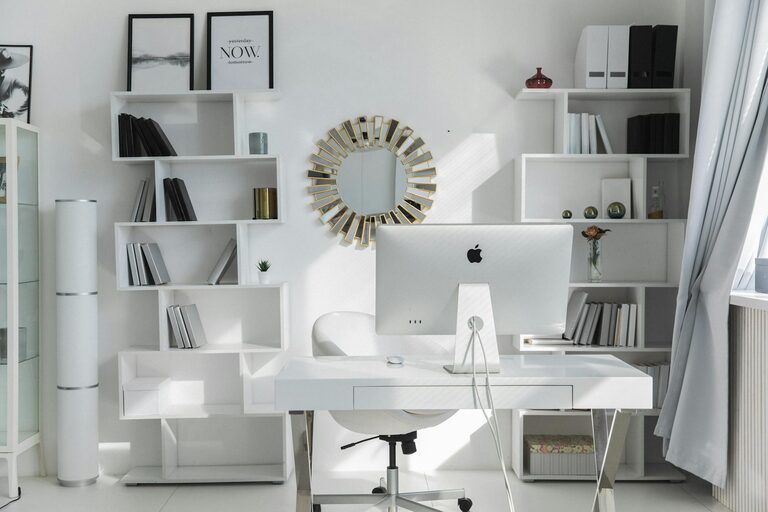
Creating a home office space that is both organised and productive can significantly enhance your work-from-home experience. Whether you’re new to remote working or looking to improve your current setup, putting some thought into your workspace will help you stay focused and comfortable. In this post, we’ll explore practical tips to help you design a home office that promotes efficiency and tidiness.
Why an Organised Home Office Matters
An organised home office isn’t just about aesthetics—it affects your mood, concentration, and overall work efficiency. A cluttered environment can lead to distractions and stress, while a well-arranged space encourages clear thinking and better time management. Moreover, a dedicated office area helps establish boundaries between work and leisure, essential for maintaining a healthy work-life balance.
Choosing the Right Space
Select a Dedicated Area
Start by choosing a specific spot in your home where your office will be. If possible, pick a room with a door to minimise noise and interruptions. If space is limited, a corner of a larger room can work, but try to clearly differentiate it from living areas.
Consider Natural Light
Position your desk close to a window if you can. Natural light boosts mood and energy levels, making it easier to stay alert. However, avoid placing your screen directly opposite a window to reduce glare.
Essential Furniture and Layout
Invest in a Quality Desk and Chair
Your desk should be large enough to hold your computer, paperwork, and any other tools you use regularly. An adjustable chair with good lumbar support is crucial to prevent back strain during long working hours.
Organise Your Layout for Efficiency
Keep frequently used items within arm’s reach to reduce distractions and time spent searching. Position your computer centrally, with space on either side for writing or other tasks.
Decluttering and Storage Solutions
Use Storage Wisely
Incorporate shelves, filing cabinets, or storage boxes to keep documents and supplies organised. Label boxes and folders clearly so you can find what you need without hassle.
Keep Your Desk Clear
Only leave out what you use daily. Store pens, notebooks, and chargers in drawers or containers to maintain a tidy surface.
Regularly Review and Remove Unnecessary Items
Once a week or month, take a few minutes to sort through your workspace and clear out anything you no longer need to prevent build-up.
Technology and Cable Management
Choose the Right Equipment
Select devices that suit your work style, whether it’s a desktop, laptop, or dual screens. Consider accessories like keyboards, mice, and webcams that enhance comfort and productivity.
Manage Cables Effectively
Use clips, sleeves, or cable organisers to keep wires neat and avoid tangles. A tidy setup not only looks better but also reduces the risk of tripping or equipment damage.
Creating a Comfortable Environment
Control Lighting
Besides natural light, invest in adjustable desk lamps to reduce eye strain. Aim for soft, evenly distributed lighting rather than harsh overhead lights.
Keep Air Flowing
Ensure your office space is well-ventilated. Fresh air helps maintain focus and reduces fatigue.
Personalise Your Space Wisely
Add plants, artwork, or photos to make your workspace inviting, but don’t overcrowd it. A few thoughtful touches can boost morale without becoming distractions.
Establishing Work Habits in Your Home Office
Set Clear Boundaries
Define your working hours and stick to them. Use your office space only for work to reinforce mental boundaries.
Plan Your Day
Use planners or digital apps to organise tasks, set priorities, and take breaks. Structured routines help maintain productivity.
Take Regular Breaks
Stand, stretch, or move around every hour to reduce fatigue and improve circulation.
Final Thoughts
A well-organised and productive home office is achievable with some planning and regular upkeep. By choosing the right location, investing in functional furniture, managing clutter, and creating a comfortable environment, you’ll foster a workspace that supports your best work. Remember, the goal is to create a space tailored to your needs, so feel free to adapt these tips to what works best for you. Happy organising!