
Tips for Creating a Relaxing Home Workspace to Boost Productivity
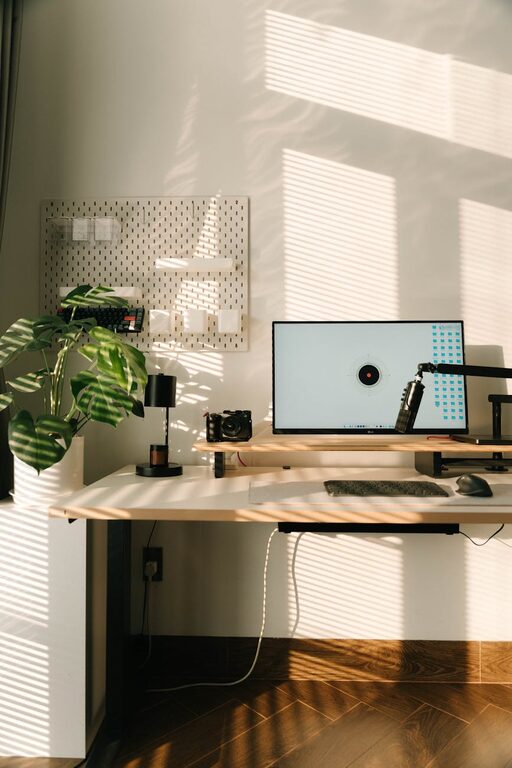
Creating a home workspace that feels both relaxing and productive is essential for anyone working remotely or frequently from home. A well-designed environment not only boosts concentration but also reduces stress levels, making work feel less like a chore and more like an enjoyable activity. Here, we explore practical tips to help you set up a calming and efficient workspace in your home.
Choose the Right Location
Selecting the ideal spot for your workspace is the first step. Aim for a quiet area with minimal distractions. Natural light is a big plus as it helps regulate your body clock and can improve mood.
– Try to avoid spaces with heavy foot traffic to stay focused.
– Near a window is perfect for fresh air and daylight.
– If space is limited, consider using a partition to separate your zone.
Invest in Comfortable, Ergonomic Furniture
Being comfortable is key to working effectively for long periods. An ergonomic chair and desk can prevent back pain and other aches.
– Choose a chair with good lumbar support.
– Your desk height should allow your arms to rest comfortably.
– Consider a sit-stand desk to alternate positions during the day.
Manage Lighting Wisely
Lighting greatly affects both energy levels and eye strain.
– Use a mix of natural and artificial light.
– Task lighting such as desk lamps can reduce shadows on your work.
– Avoid harsh fluorescent lights; soft, warm bulbs stimulate relaxation.
Keep Your Workspace Organised
A clutter-free workspace encourages a clear mind and better productivity.
– Use trays, shelves, and drawers to keep supplies tidy.
– Digital organisation is important too — keep files sorted on your computer.
– Routinely declutter to maintain a neat environment.
Add Calming Elements
Incorporate items that help you feel calm and focused.
– Indoor plants improve air quality and add a touch of nature.
– Personal touches like photos or artwork inspire positivity.
– Aromatherapy, using scents like lavender or eucalyptus, can reduce stress.
Minimise Noise Distractions
Noise can disrupt concentration, so it’s useful to control sound levels.
– Consider noise-cancelling headphones or white noise machines.
– Soft background music may help some people focus better.
– Use rugs, curtains, or cushions to absorb excess sound.
Maintain Proper Temperature and Air Quality
Comfortable temperature and clean air support alertness and wellbeing.
– Keep your workspace well ventilated.
– Use fans or heaters as needed to maintain a pleasant temperature.
– Avoid stuffy rooms to prevent fatigue.
Incorporate Regular Breaks and Movement
Even in a relaxing space, it’s important to take breaks to stay fresh.
– Follow the 20-20-20 rule: every 20 minutes, look at something 20 feet away for 20 seconds.
– Stand up and stretch or walk around regularly.
– Use a timer or app to remind you to pause.
Technology Setup and Cable Management
Modern workspaces need technology, but cables and devices can become distracting.
– Arrange cables with clips or covers to keep them out of sight.
– Position your computer screen at eye level to avoid neck strain.
– Use wireless accessories if possible for a cleaner look.
Cultivate a Routine and Positive Mindset
Finally, the way you approach your workday affects your productivity.
– Begin each day with a routine such as tidying your desk or planning your tasks.
– Stay hydrated and keep a water bottle nearby.
– Practice mindfulness or simple breathing exercises if you feel overwhelmed.
—
By combining these practical tips, you can create a home workspace that feels like a sanctuary — a place where you can relax yet remain productive. The key is to personalise your area to fit your needs while maintaining an organised and peaceful environment. A thoughtful workspace encourages better focus, reduces stress, and makes working from home a more enjoyable experience overall.